School Management ERP Software in India: What It Is, Key Modules & How to Choose the Right One
Running a school today means handling admissions, attendance, fee collection, exams, transport, and parent communication, often all at once. When these tasks live in registers, Excel sheets, and WhatsApp groups, mistakes and delays are almost guaranteed. This is where school ERP software comes in.
In this guide, you’ll learn what school ERP software is, which modules matter most, the benefits it offers, and how to choose the right system for your school.
What Is School Mangement ERP Software?
School Mangement ERP software is a centralised digital platform that manages a school’s academic, administrative, and financial operations in one place. ERP stands for Enterprise Resource Planning, and in a school setting it connects every department so data flows without manual re-entry.
You may also hear it called school management software. The two terms are used interchangeably, though a full school Mangement ERP system usually covers a wider range of functions, including HR, payroll, and inventory, rather than just student records.
Who uses it?
Administrators track admissions, reports, and overall performance
Teachers mark attendance, enter grades, and share notices
Parents and students view fees, results, and announcements through an app
Accounts staff handle fee collection, receipts, and payroll
Cloud-based vs. on-premise: Cloud-based school Management ERP software is hosted online and accessed from any device, with automatic updates and backups. On-premise systems are installed on the school’s own servers, which means higher upfront cost and more IT maintenance. Most Indian schools now prefer cloud-based options for their lower cost and easier access.
Why Indian Schools Need a School Mangement ERP System?
Indian schools deal with large student numbers, multiple boards, and constant compliance requirements. A good school ERP system helps by:
Reducing paperwork and errors: Data is entered once and reused across modules.
Speeding up fee collection: Automated reminders and online payments cut down on defaulters.
Improving parent communication: Notices, circulars, and alerts reach parents instantly.
Simplifying compliance: Reports for UDISE+ and CBSE, ICSE, or state board formats can be generated quickly.
Supporting better decisions: Dashboards give management a clear view of attendance, fees, and academic performance.
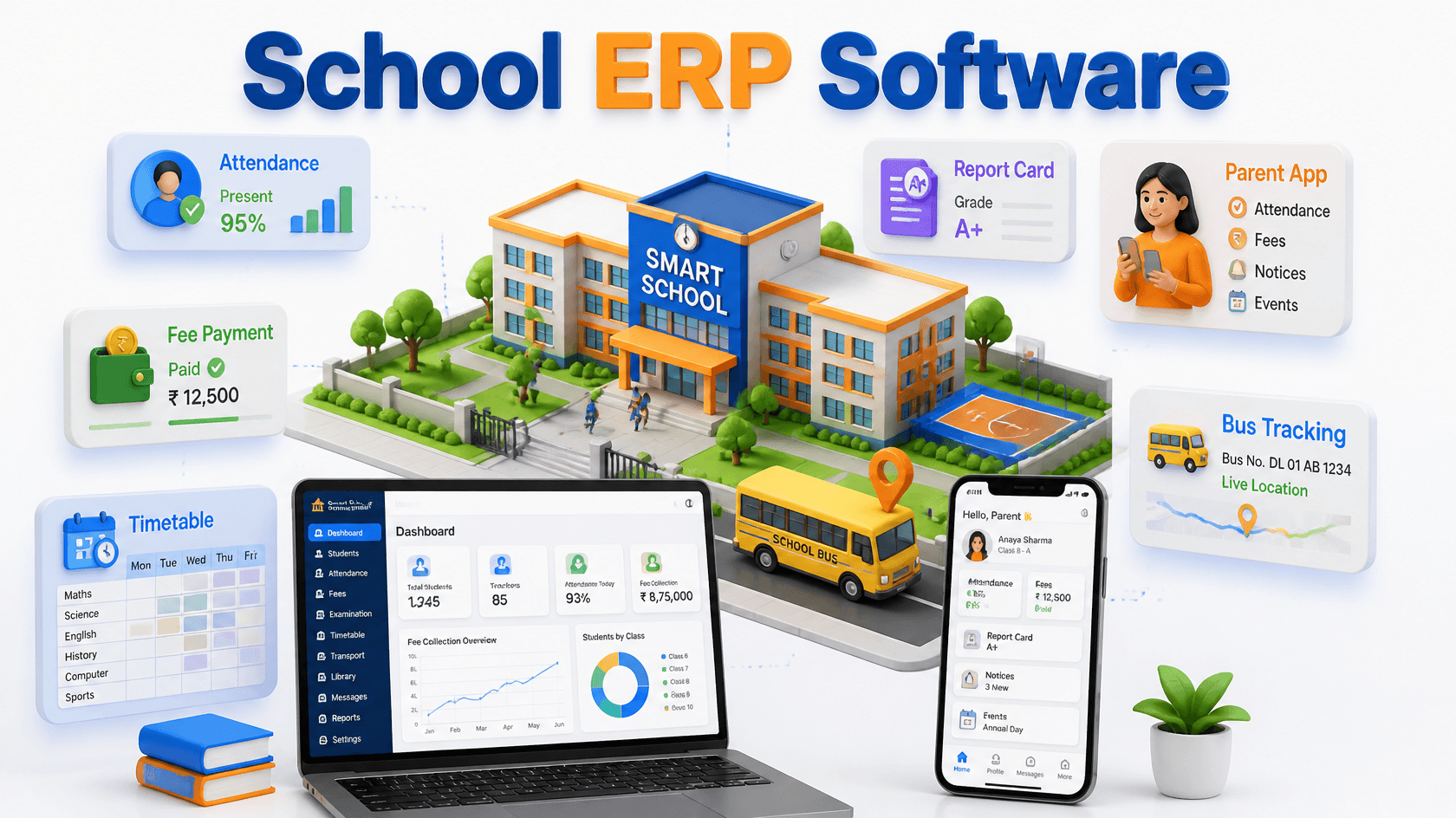
Key Modules of School Management ERP Software
Not every school needs every feature, but these are the core modules to look for in school ERP software.
1. Admission and Enquiry Management
Track enquiries, manage application forms, schedule interactions, and convert leads into admissions without paperwork.
2. Student Information System (SIS)
A central database of student profiles, guardian details, documents, and academic history.
3. Fee Management and Online Payments
Create fee structures, send reminders, accept UPI, card, and net banking payments, and generate receipts automatically.
4. Attendance Management
Record student and staff attendance digitally, with optional biometric or RFID integration and instant SMS alerts to parents.
5. Timetable and Academic Planning
Build class schedules, assign substitute teachers, and plan the academic calendar with fewer clashes.
6. Exams, Grading and Report Cards
Set up exam schedules, enter marks, and generate board-compliant report cards in minutes.
7. Parent and Student Mobile App
Parents can check attendance, homework, fee dues, and results from their phones.
8. Communication Tools
Send notices through SMS, email, and WhatsApp from one dashboard.
9. Transport Management
Manage routes, vehicles, drivers, and student pick-up lists, with live tracking where available.
10. Library, Hostel and Inventory
Track book issues, hostel allocation, and school assets in the same system.
11. HR and Payroll
Handle staff records, leave, salary processing, and payslips.
12. Learning Management System (LMS)
Optional but increasingly popular, this supports online classes, assignments, and study material.
Benefits of Using School Management Software
Adopting school management software brings measurable improvements:
Time savings: Teachers and office staff spend less time on repetitive tasks.
Transparency: Parents get real-time updates on their child’s progress and fees.
Secure, centralised data: Records are stored safely with role-based access and regular backups.
Better cash flow: Automated fee tracking improves collections and accountability.
Scalability: Multi-branch schools can manage all campuses from a single dashboard.
How to Choose the Right School Management ERP Software
With many options in the market, a clear checklist makes the decision easier.
Define your needs first. Consider your school’s size, board, and number of branches.
Separate must-haves from nice-to-haves. A small school may not need hostel or LMS modules on day one.
Check ease of use. If non-technical staff struggle with the interface, adoption will fail.
Test the mobile app. Look for a smooth experience on both Android and iOS.
Ask about integrations. Payment gateways, SMS providers, and biometric devices should connect easily.
Review data security. Look for encryption, regular backups, and clear data ownership terms.
Evaluate support and training. Onboarding help and regional language support make a big difference.
Understand the pricing model. Is it per student, per year, or a one-time fee?
Request a demo or free trial. Test the system with real scenarios from your school.
Ask for references. Talk to schools of a similar size and board.
School Management ERP Software Pricing in India
Pricing varies widely based on features and school size. The most common models are:
Per student, per year: Popular with cloud-based providers and easy to scale.
One-time license fee: Usually for on-premise systems, with separate annual maintenance charges.
Tiered subscription plans: Packages based on module bundles or student strength.
Factors that affect cost: number of students, modules selected, level of customisation, and the support plan.
Hidden costs to watch for: setup and data migration fees, staff training charges, SMS credits, and paid upgrades. Always ask for a complete quote before signing.
Common Mistakes to Avoid
Choosing on price alone: The cheapest option often lacks support or key features.
Skipping staff training: Even the best school Management ERP software fails if teachers don’t know how to use it.
Ignoring data migration: Confirm the vendor will help move your existing records.
Overlooking scalability: Pick a system that can grow with your school.
Leaving teachers out of the decision: They are daily users and their feedback matters.
Tips for a Smooth Implementation
Start small: Launch core modules like student records, attendance, and fees first, then expand.
Roll out in phases: Begin with one department or grade level.
Train in order: Staff first, then parents.
Collect feedback early: Review issues and suggestions during the first 30 days.
Future Trends in School Management ERP Software
Modern school Management ERP software is evolving quickly. Here’s what to watch:
AI-driven analytics for spotting attendance patterns and learning gaps
NEP 2020 alignment with competency-based assessment and holistic report cards
Integrated LMS for hybrid and blended learning
WhatsApp-first communication to match how parents actually engage
Frequently Asked Questions
1. What is school Management ERP software?
School ERP software is a centralised platform that manages admissions, attendance, fees, exams, communication, and other school operations in a single system.
2. What is the difference between school Management ERP and school management software?
The terms are often used interchangeably. School ERP usually implies a broader system covering HR, payroll, and inventory, while school management software may focus more on academic and student records.
3. How much does school Management ERP software cost in India?
Cost depends on student strength, modules, and support. Most providers charge per student per year, while some offer one-time licenses. Always ask about setup, training, and SMS charges.
4. Is cloud-based School Management ERP secure?
Yes, when the provider uses encryption, role-based access, and regular backups. Check the vendor’s security policies and data ownership terms before choosing.
5. Which modules are most important for a small school?
Start with student information, attendance, fee management, and a parent app. You can add transport, library, and HR modules as the school grows.
6. Can a School Management ERP be customised for CBSE, ICSE, or state boards?
Most good systems support board-specific report cards, grading patterns, and compliance reports. Confirm this during the demo.
Conclusion
The right School Management ERP software saves time, reduces errors, and keeps parents, teachers, and administrators on the same page. Start by listing your school’s needs, shortlist two or three vendors, and test each through a demo. A well-chosen school management software pays for itself through better fee collection, smoother operations, and happier parents.
Ready to simplify your school’s operations? Book a free demo or request a quote today to see school Management ERP software in action.